Ghostty Terminals Inspired by Codex App's UX
Ghostex combines a high-performance Ghostty terminal with Chromium browser panes, VS Code editing, and polished session management to keep your agents productive and your Mac responsive.


brew install --cask maddada/tap/ghostex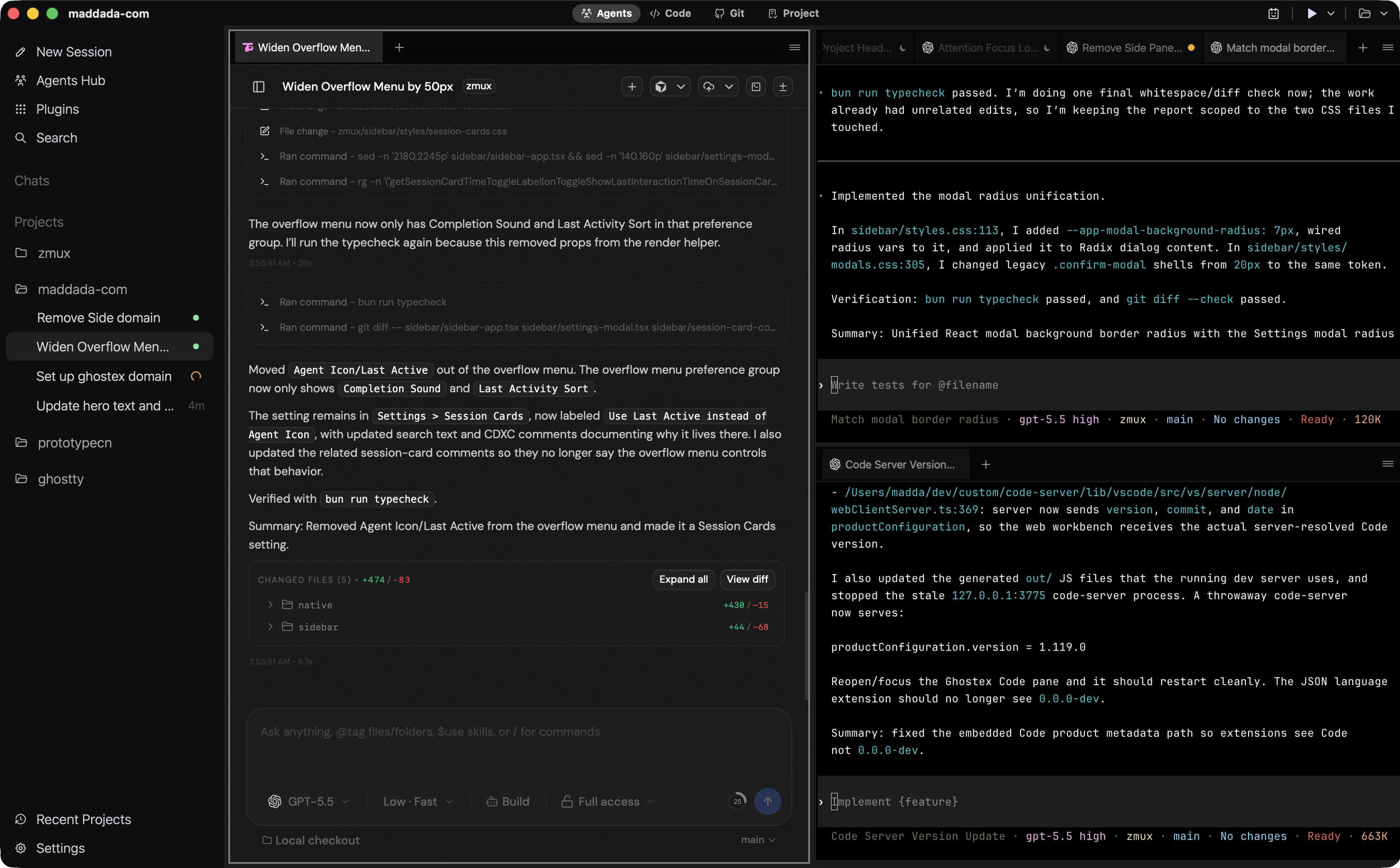









The Agent Manager for Power Users
Built for the long-haul. Sessions are persistent, automatically named, and resume exactly where you left off. Intuitive tabs and splits. Menu bar status indicators. Tons more features.
All designed to keep you in flow without sacrificing performance.
Intelligent Session Sleep
Inactive terminals are automatically slept to save RAM and CPU. They restore instantly when you click back into the session, keeping your Mac fast.
Rich Prompt Editor
Access a specialized rich prompt editor with Ctrl+G in supported CLIs. Write complex instructions with better visibility than in the unintuitive agent CLI input box.
Flexible Multiplexing
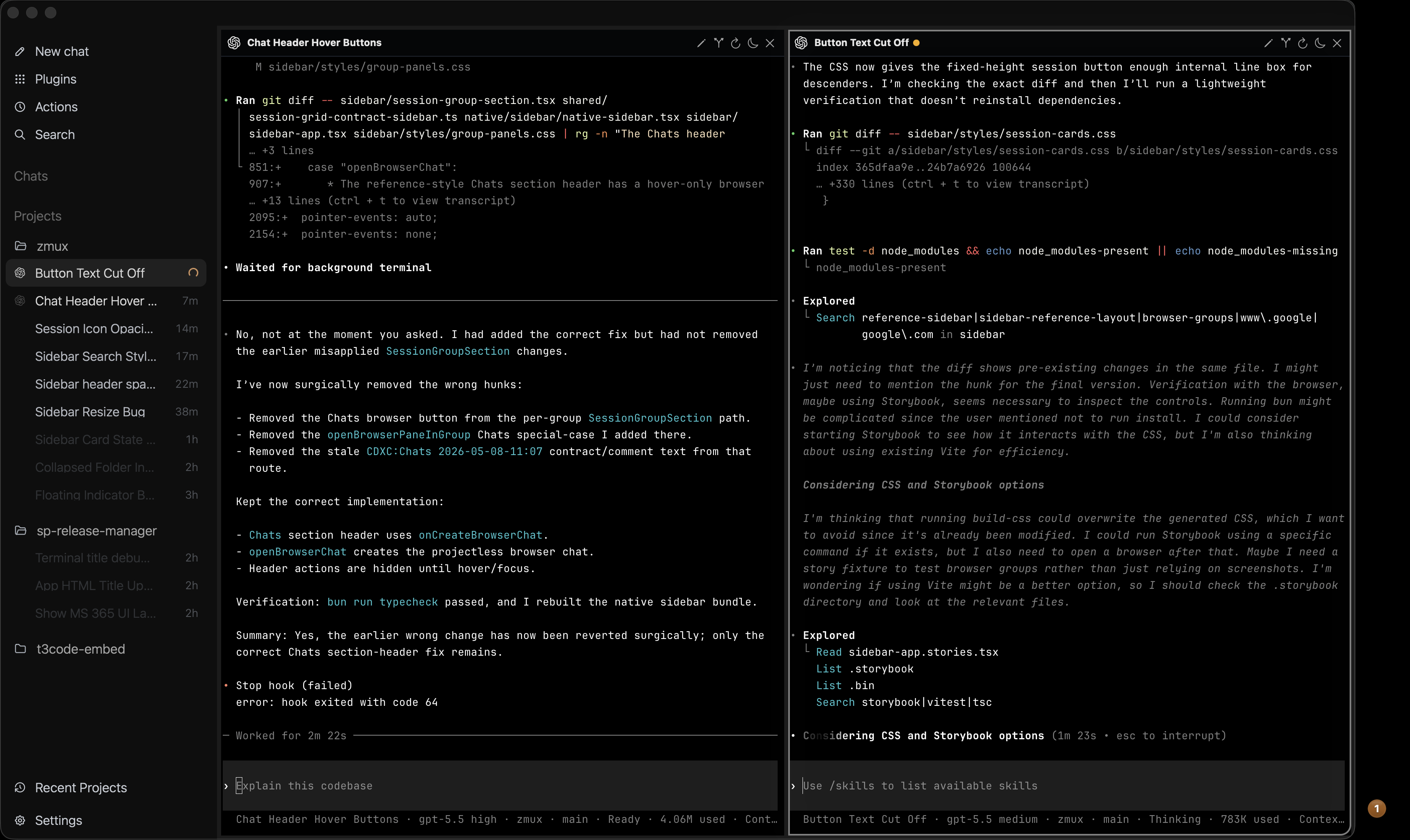
Run any terminal split layout with zmx, tmux, or zellij. Organize your workspace with draggable tabs per project, mixing terminal agents, browser panes, and the VS Code editor effortlessly.
Auto Session Naming & Status
Automatically names your agent CLI sessions. Menu bar working and done indicators with notification sounds keep you updated without checking the app.
Supported Agent CLIs
Ghostex provides native support and auto-session naming for the best coding agents available today. Switch between models instantly without losing context.
- Claude Code & Codex integration
- Gemini & Copilot support
- Native macOS menu bar status signals
Chromium-powered Panes
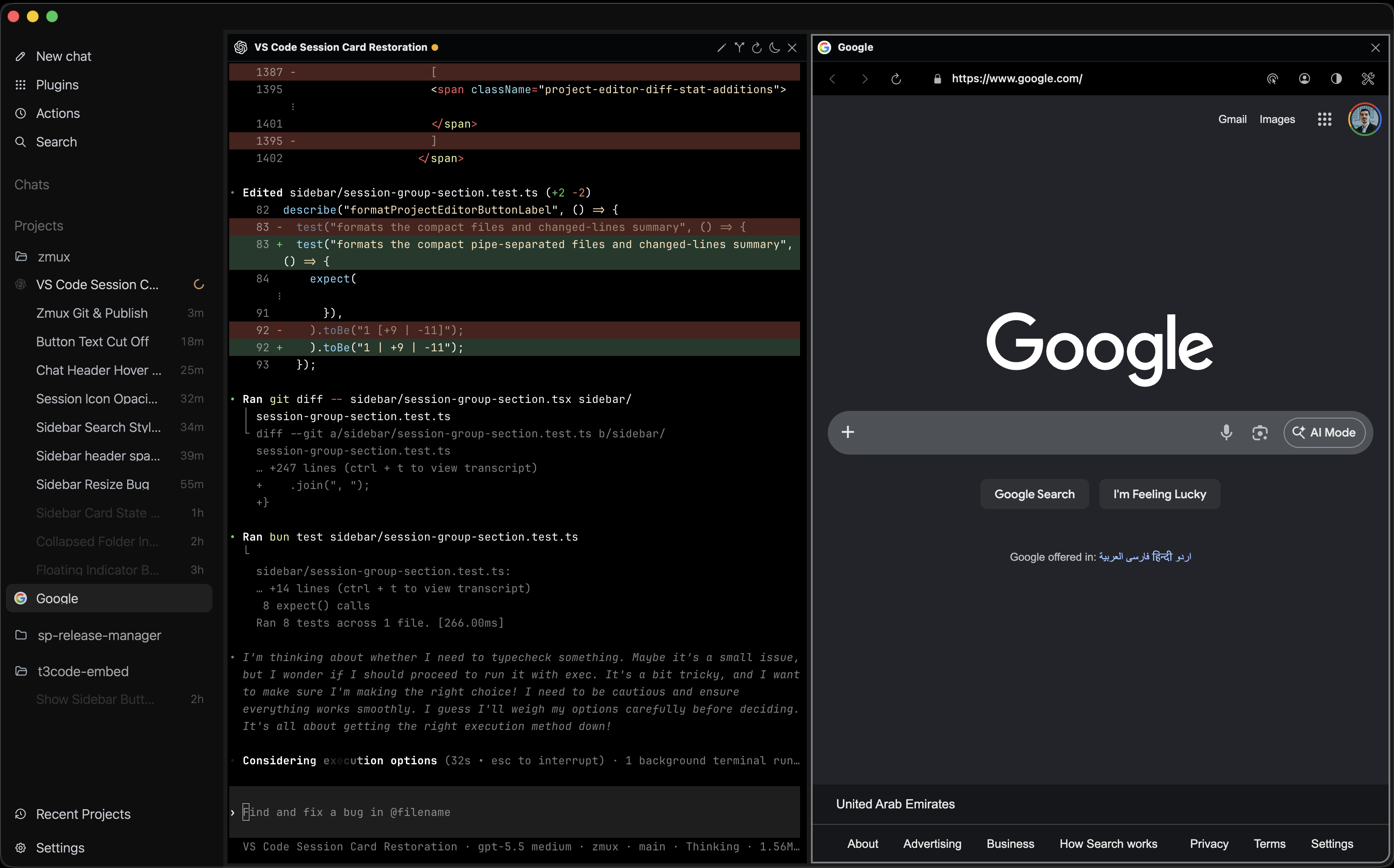
Don't settle for inferior embedded browsers. Ghostex embeds a Chromium-based browser pane with DevTools, allowing agents to browse, debug, and interact with web apps in the same workspace.
- Full Chromium engine with persistent profiles
- Built-in DevTools for agent debugging
- MCP (Model Context Protocol) integration
Embedded Code Editor
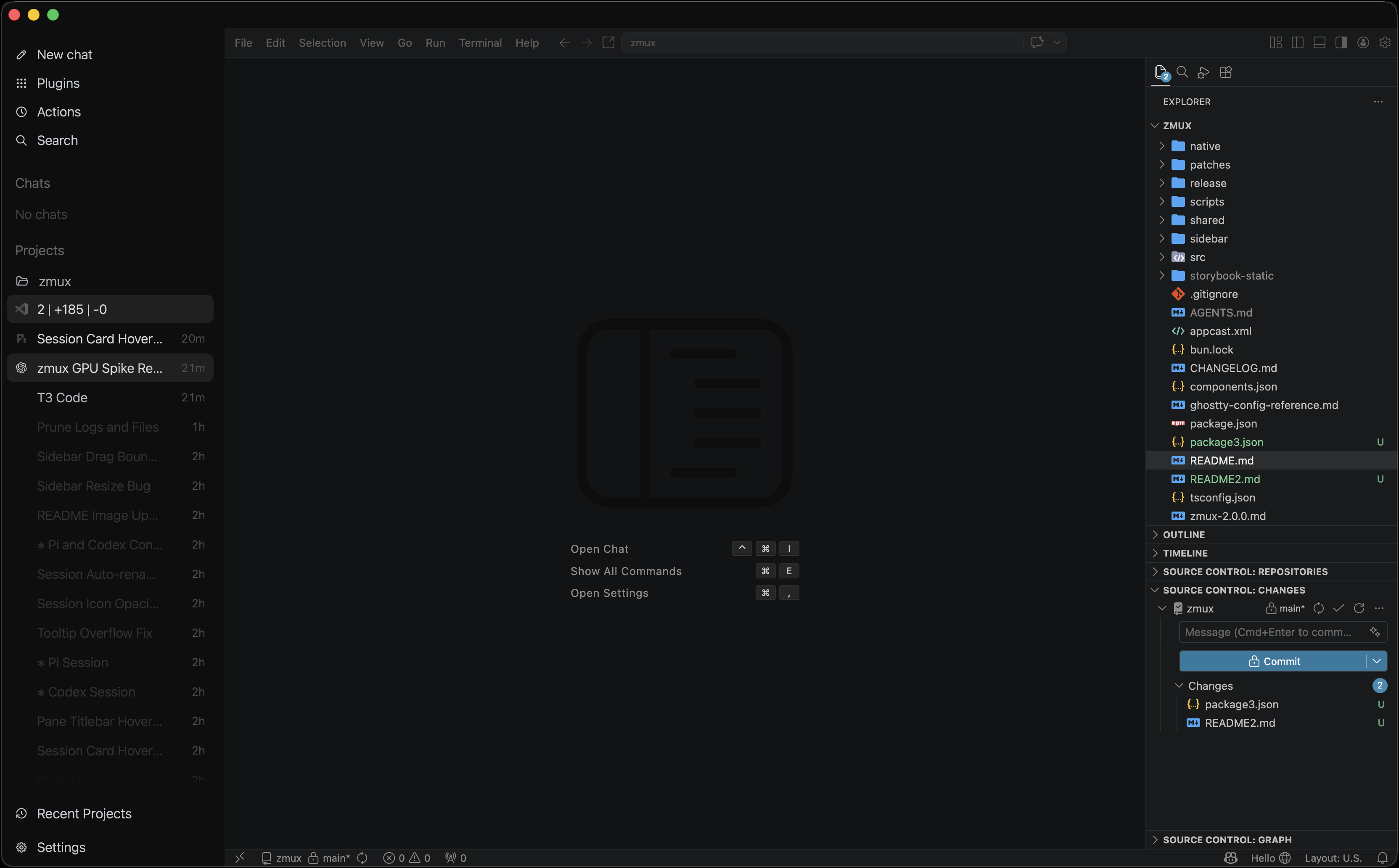
A lightweight IDE surface gives you project-scoped file editing, git staging, and PR reviews. Perfect for those small edits that don't need a full IDE switch.
- Seamless inline code editing
- Git staging and PR reviews within Ghostex
- Full VS Code extensions support
Help Make Ghostex Better
Ghostex is open source, free forever, and built without analytics or tracking. Star the repo, open an issue, or send a pull request to help shape this project.
Star the repo